
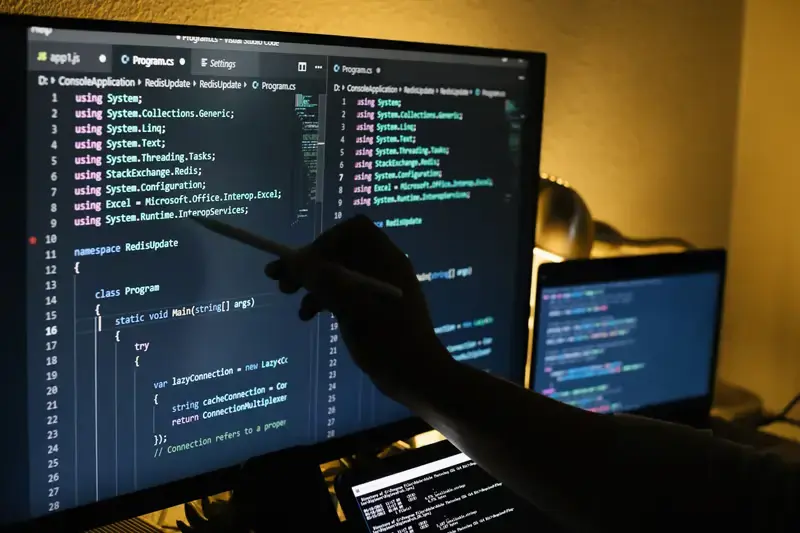
Imagine working on a software project late in the afternoon. You have written hundreds of lines of code, fixed several bugs, and finally reached a point where the application runs correctly. Then a new feature breaks something that worked earlier. You try to remember which changes caused the problem, but several files have been edited, and your notes are incomplete. What should have been a small improvement becomes an exhausting debugging session.
This situation is familiar to developers who rely on coding ability alone without a reliable development setup. Writing good software requires more than knowing a programming language. Developers need tools that help them write, test, organize, review, and maintain code throughout a project’s life cycle.
Software development tools IDEs, version control systems, automated testing utilities, and workflow platforms provide that structure. They help developers understand complex projects, identify errors earlier, collaborate without overwriting each other’s work, and deliver changes with greater confidence.
The right setup does not need to be expensive or complicated. A well-configured editor, Git repository, testing framework, and clear team process can make a substantial difference. The real goal is to build a workflow that reduces unnecessary work while keeping the software reliable as it grows.
Understanding Software Development Tools and Their Purpose
Software development tools are applications and services that support different stages of building and maintaining software. Some help developers write code, while others manage changes, test behavior, inspect performance, or automate deployment.
These tools work best when they support one another. An integrated development environment can identify a coding mistake, a test runner can reveal a behavioral problem, and Git can help the developer isolate the change that introduced it. Together, they create a more dependable development process.
A common mistake is choosing tools based only on popularity. A large enterprise platform may offer features that a beginner never uses, while a lightweight editor may not provide enough support for a complex application. Developers should consider project size, programming language, team experience, security needs, and maintenance requirements before deciding.
The best software development tools IDEs setup is one that solves actual problems. If developers repeatedly lose time searching for files, debugging inconsistent environments, or resolving undocumented changes, the toolchain should address those issues directly.
Integrated Development Environments: A Developer’s Main Workspace
An integrated development environment, commonly called an IDE, combines several programming functions in one application. Depending on the product, it may include a code editor, debugger, terminal, build tools, testing support, and intelligent code completion.
Instead of switching between disconnected applications for every task, developers can manage much of their daily work from one workspace. This becomes particularly useful when projects involve multiple files, dependencies, configuration settings, and complicated execution paths.
Popular IDEs and Code Editors
<text></text>Visual Studio Code is widely used because it combines a lightweight editing experience with a large extension ecosystem. Developers can add language support, debugging tools, formatting utilities, and integrations for version control. It is often a practical choice for web development, scripting, and projects involving several languages.
Visual Studio provides a more integrated environment for many .NET, C++, and Windows development tasks. IntelliJ IDEA is popular among Java developers, while PyCharm provides features designed around Python projects. Android Studio supports Android application development, including emulators, layout tools, and build configuration.
These options are not interchangeable in every situation. Some are full IDEs, while others begin as editors and gain additional functionality through extensions. The distinction matters when a team needs reliable debugging, framework support, code analysis, and consistent project configuration.
Features That Make an IDE Useful
Code completion can suggest functions, variables, and methods as a developer types. Syntax highlighting makes code structures easier to recognize, while linting identifies potential problems before the application runs. Refactoring tools help developers rename symbols, reorganize code, or change structures without manually editing every occurrence.
Debuggers are especially valuable when an application behaves differently from expectations. Breakpoints allow developers to pause execution, inspect variable values, and follow the program’s control flow. This is often faster and more reliable than adding temporary print statements throughout a large codebase.
However, developers should not treat automated suggestions as guaranteed truth. An IDE may recommend a valid-looking solution that is inefficient, insecure, or inconsistent with the project’s architecture. Human review remains necessary, particularly when generated code affects authentication, payments, data handling, or other sensitive functions.
Choosing the Right IDE for Your Project
The right IDE depends on what you are building and how your team works. A small Python script may need little more than a text editor and terminal. A large enterprise application may benefit from advanced refactoring, integrated testing, database tools, and deep language analysis.
Performance also matters. An editor that takes too long to start or consumes excessive memory can interrupt concentration. On the other hand, a minimal editor may force developers to install and maintain many separate utilities to complete ordinary tasks.
Before choosing a tool, test it against a realistic task from your project. Open the codebase, run the application, debug an error, execute tests, and inspect Git changes. This reveals practical strengths and weaknesses more clearly than a list of advertised features.
Software development tools IDEs should also be evaluated for accessibility and team consistency. If several developers use different formatting rules or incompatible extensions, code reviews can become unnecessarily difficult. A shared configuration reduces these differences and makes it easier for new team members to get started.
Git Version Control: Protecting Your Work
Git is a distributed version control system that records changes to files over time. It allows developers to review previous versions, create separate lines of development, and combine work from different contributors.
Without version control, teams may depend on manually copied folders or filenames such as project-final, project-final-new, and project-final-fixed. This approach quickly becomes confusing. Git provides a structured history that shows which changes were made, when they were recorded, and who committed them.
Essential Git Concepts
A repository contains project files and their version history. Developers usually make changes in a working directory, stage selected changes, and create commits that record a meaningful snapshot.
A branch provides an independent line of development. A developer can build a feature or investigate a bug without immediately changing the main branch used by the team. Once the work has been reviewed and tested, it can be merged into the shared codebase.
Remote repositories allow team members to exchange changes through hosting platforms. Commands such as git fetch, git pull, and git push help developers synchronize their local work with a remote repository. Understanding what each command does reduces the risk of accidental overwrites or confusion about which version is current.
Writing Useful Commits
A good commit should represent a clear, understandable change. Instead of combining unrelated fixes, developers should group work into logical units. A message such as “Fix password reset token expiry” tells future readers much more than “Updates.”
Small commits are easier to inspect, test, and reverse when something goes wrong. They also make code reviews more focused because reviewers can understand the purpose of a change without navigating a large collection of unrelated edits.
Commit quality becomes especially important during debugging. If a regression appears after several releases, a readable history helps the team narrow down the likely cause. Git can even support systematic techniques such as binary-searching commit history to identify the change that introduced a problem.
Branching, Code Reviews, and Team Collaboration
A typical team workflow begins when a developer creates a branch for a feature or bug fix. They make changes, run local tests, commit the work, and push the branch to a remote repository. The team then reviews the proposed changes before merging them into the main codebase.
Pull requests or merge requests provide a place to discuss implementation choices, identify defects, and check whether the change follows project standards. A useful review looks beyond whether the code appears to work. It considers readability, security, error handling, performance, testing, and long-term maintenance.
For example, a developer might add a new account registration feature that works correctly in normal testing. During review, another team member notices that the application does not limit repeated registration attempts. The discussion reveals a security weakness before the change reaches production.
Conflicts can arise when two branches modify the same lines. Git helps identify the conflicting sections, but developers must decide how to combine the changes correctly. Automatically accepting one side without understanding the logic can remove important functionality.
Software development tools IDEs often provide visual Git interfaces that make branch management and change comparison easier. However, developers should still learn the underlying concepts. Understanding commits, branches, merges, and conflict resolution makes it easier to diagnose problems when a graphical interface cannot explain what happened.
Testing and Debugging Tools That Improve Reliability
Writing code is only one part of software development. Developers must also check that the application behaves as intended under normal conditions, unusual inputs, and failure scenarios.
Unit tests examine small pieces of functionality. Integration tests check whether components work together, while end-to-end tests simulate important user journeys. Each type serves a different purpose, and a balanced testing strategy avoids depending on a single layer.
Consider an online store that calculates discounts. A unit test can check whether the discount function returns the correct price. An integration test can verify that the pricing service receives product information correctly. An end-to-end test can confirm that a shopper sees the expected total during checkout.
Debugging tools help investigate failures that tests or users reveal. Logs provide a record of application events, while profilers can identify slow operations or excessive resource consumption. Browser developer tools help web developers inspect network requests, layout behavior, JavaScript errors, and application storage.
The strongest workflow uses testing throughout development instead of waiting until a feature is nearly complete. Early feedback makes defects easier to isolate because fewer changes have occurred since the problem was introduced.
Automating Developer Workflows With CI/CD
Continuous integration and continuous delivery or deployment, commonly grouped under CI/CD, help teams automate repetitive development tasks. A continuous integration pipeline may run tests, check formatting, scan dependencies, and build an application whenever a developer submits changes.
If a test fails, the pipeline can notify the team before the change is merged. This creates a consistent quality check rather than relying entirely on each developer to remember every manual step.
For example, a team maintaining a customer portal might configure its pipeline to run unit tests, check code style, build the application, and create a deployable artifact. A protected main branch can require these checks to pass before accepting changes.
Automation does not eliminate the need for judgment. Poorly designed pipelines can become slow, expensive, or difficult to maintain. Tests that are unreliable may also produce repeated false alarms, causing developers to ignore important failures.
A useful approach is to automate stable, high-value checks first. Start with formatting, basic tests, and build validation. Add more advanced security scans, integration tests, and deployment stages as the project matures.
Real-World Example: Fixing a Bug Without Losing Existing Work
Imagine a developer maintaining a booking application. Users report that selecting a date sometimes displays the wrong availability. The developer needs to investigate the issue without disrupting a teammate who is building a new payment feature.
First, the developer creates a separate Git branch for the bug. They reproduce the problem, add a test that captures the incorrect behavior, and use the IDE debugger to inspect how dates are processed. The investigation reveals that the application treats a local date as if it were a universal timestamp.
After correcting the logic, the developer runs the new test and the existing test suite. They review the changes, commit the fix, and open a pull request. A CI pipeline checks the branch automatically, and a teammate reviews the code before it is merged.
This process reduces the chance that the fix will interfere with unrelated work. It also creates a record of the defect, the solution, and the tests used to verify the result.
The example shows why software development tools IDEs and Git are most effective when they work together. The editor helps investigate the code, version control isolates the change, tests verify behavior, and review processes provide another layer of protection.
Security and Responsible Tool Management
Developer tools can introduce security risks when they are poorly configured. Extensions may request broad permissions, dependency packages can contain vulnerabilities, and accidentally committed credentials may expose access to systems or user data.
Teams should install extensions from trusted sources, remove unused tools, and keep supported software updated. Dependencies should be reviewed regularly, particularly when they handle authentication, encryption, file uploads, or sensitive information.
Secrets such as API keys, passwords, and private tokens should not be stored directly in source code. Use appropriate secret-management systems or environment configuration, and restrict access according to each person’s responsibilities. If a secret is accidentally committed, deleting it from the latest version may not remove it from the repository’s history. The credential may need to be revoked and replaced.
Security checks should be part of the development workflow rather than an activity saved for the final release. Automated scanning can help identify known vulnerabilities, but results still require interpretation and follow-up. A tool can flag a problem, yet developers remain responsible for deciding how to resolve it safely.
Building a Productive Developer Workflow
A productive workflow is not the one with the largest number of tools. It is the one that makes routine work predictable and allows developers to focus on meaningful problems.
Start by establishing a repeatable project setup. Document the required runtime, dependencies, environment variables, test commands, and build process. A new team member should be able to follow the instructions and run the application without relying on undocumented knowledge.
Next, agree on formatting, naming conventions, branching practices, and review expectations. Use automated formatting and linting where appropriate so developers do not spend review time arguing about avoidable style differences. Keep documentation close to the code it describes, and update it when behavior changes.
Finally, review the workflow periodically. If developers frequently wait for slow tests, resolve the same merge conflicts, or repeat manual deployment steps, investigate the cause. Small improvements can save substantial time across a team.
The best software development tools IDEs setup supports the complete path from writing code to maintaining a released application. A dependable editor, understandable Git history, useful tests, and sensible automation provide a strong foundation without creating unnecessary complexity.
Conclusion
Software development depends on more than writing functional code. Developers need reliable ways to organize projects, inspect errors, preserve history, collaborate with teammates, and verify changes before release.
An appropriate IDE makes everyday programming easier. Git protects the history of a project and supports parallel work. Testing, code review, and CI/CD pipelines help catch defects before they reach users. Security practices and clear documentation make the entire process more dependable.
The best approach is to choose tools according to real project needs, learn their underlying concepts, and build a workflow that the whole team can follow. When these pieces work together, developers spend less time recovering from preventable mistakes and more time creating software that people can trust.
FAQs
1. What are the most important software development tools?
Most developers benefit from an IDE or code editor, Git for version control, a testing framework, a debugger, and a build tool. Teams often add code review, CI/CD, and security scanning as project complexity and collaboration needs increase.
2. What is the difference between an IDE and a code editor?
A code editor primarily focuses on writing and editing source code, often using extensions for additional features. An IDE typically integrates editing, debugging, build tools, and testing into a more complete development environment, although modern editors can provide many similar capabilities.
3. Why is Git important in software development?
Git records changes, supports parallel development, and helps teams review or reverse problematic updates. Its branching and merging features allow developers to work independently while maintaining a shared project history, making collaboration and debugging more manageable.